Microsoft released Office 2024 for consumers on 1st October this year. The MS Office suite doesn’t need an introduction since it is the leading office suite for office work and college projects.
Each app in Microsoft Office has its special features for different kinds of users. This makes the suite useful for everyone, from students and single users to big companies.
After Office 365, they released the office 2024. It comes with better performance and speed, AI-infused tools, new formulas in Excel, and much more.
You can download Microsoft Office 2024 through the official MS server.
There is no direct download link but you can follow our tutorial to download it for free.
First, we will download important Office files using the Microsoft deployment tool. Then use it to download the Office 2024 ISO through the official servers.
Once that is done, we will activate Office using the free product key, offered by Microsoft.
- Microsoft Office 2024 Preview Download Download Microsoft Office 2024 via MSDN Microsoft Office 2024 Requirements How long will the Microsoft Office 2024 Preview last? What is new in Microsoft Office 2024? Download Microsoft Office 2024 Now
Microsoft Office 2024 Preview Download
Download Microsoft Office 2024 via MSDN
If you are looking to download from the official servers then try this. This method is easy, you just need to follow all the steps exactly as given.
Remove older versions of Microsoft Office and then restart your computer.
Download the Office Deployment Tool from here .
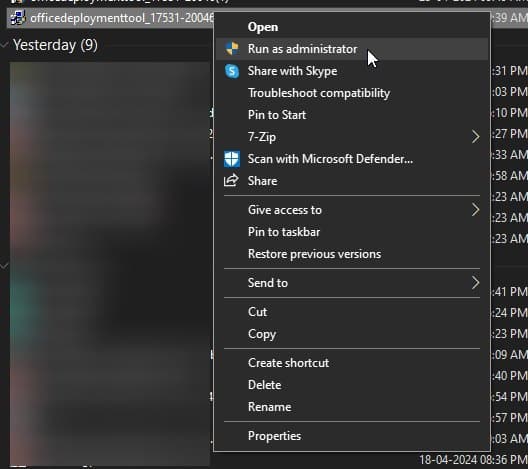
Launch the Office Deployment tool as an administrator.
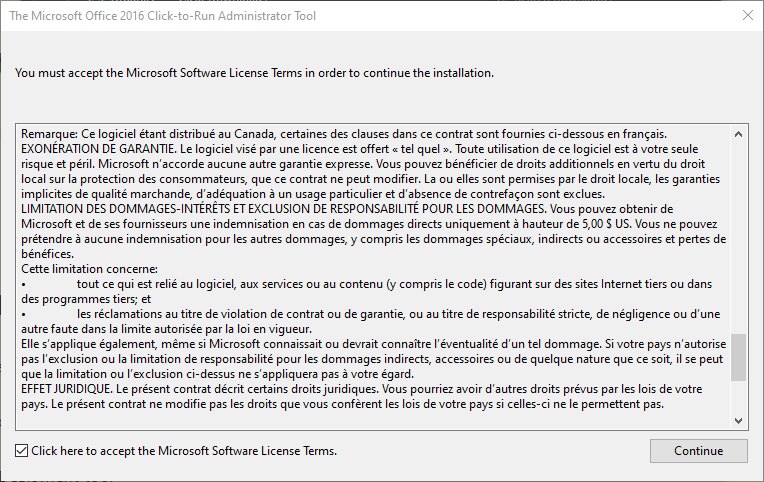
- Tick the checkbox and then click continue to agree to the terms and conditions.
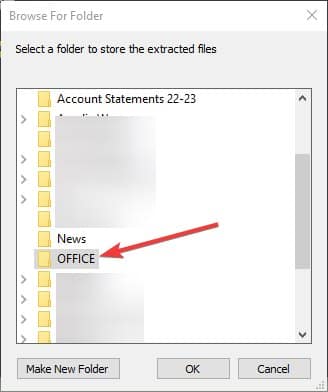
- Select an empty folder, in which you will download Microsoft Office 2024 Preview. We created an empty folder and renamed it to Office for ease of reference.
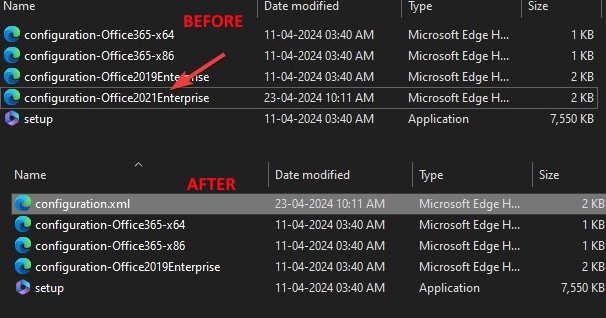
- Head to the folder. Then rename configuration-Office2021Enterprise file to configuration.xml , for later reference.
- Go to the Office folder, and right-click on the configuration.xml file to edit it.
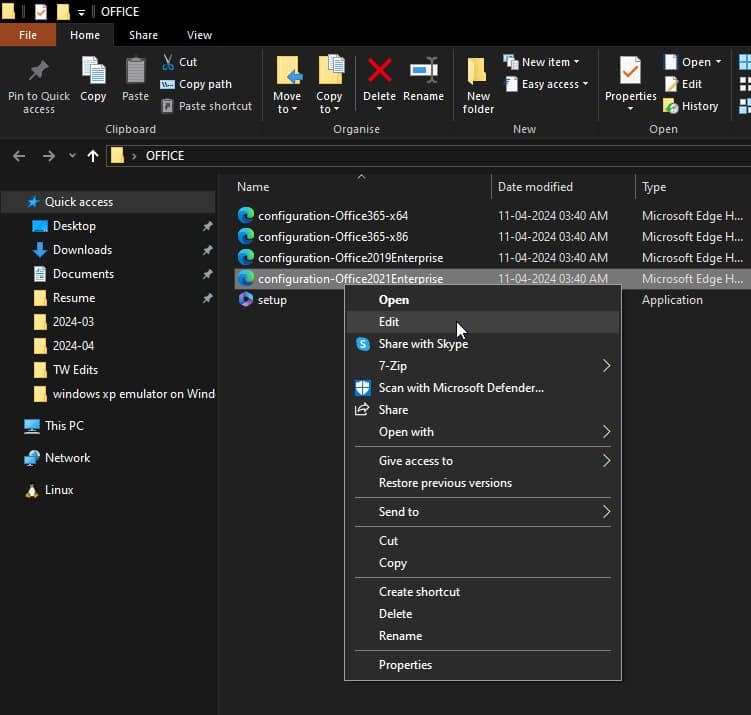
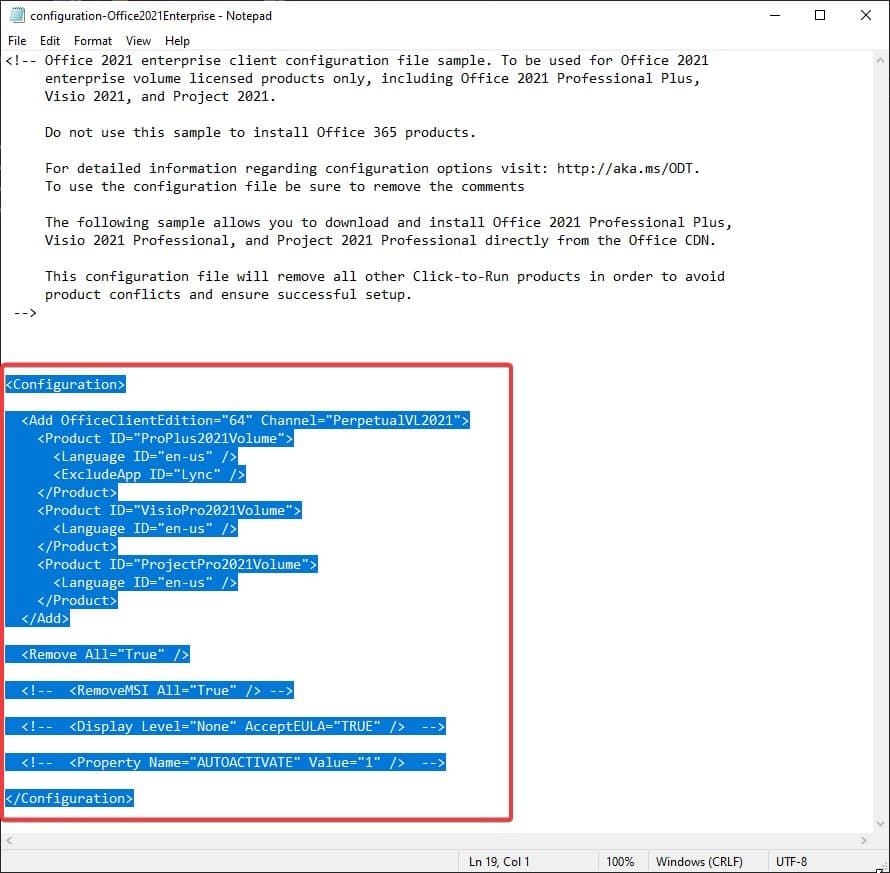
- Delete the highlighted part, as we don’t need it here.
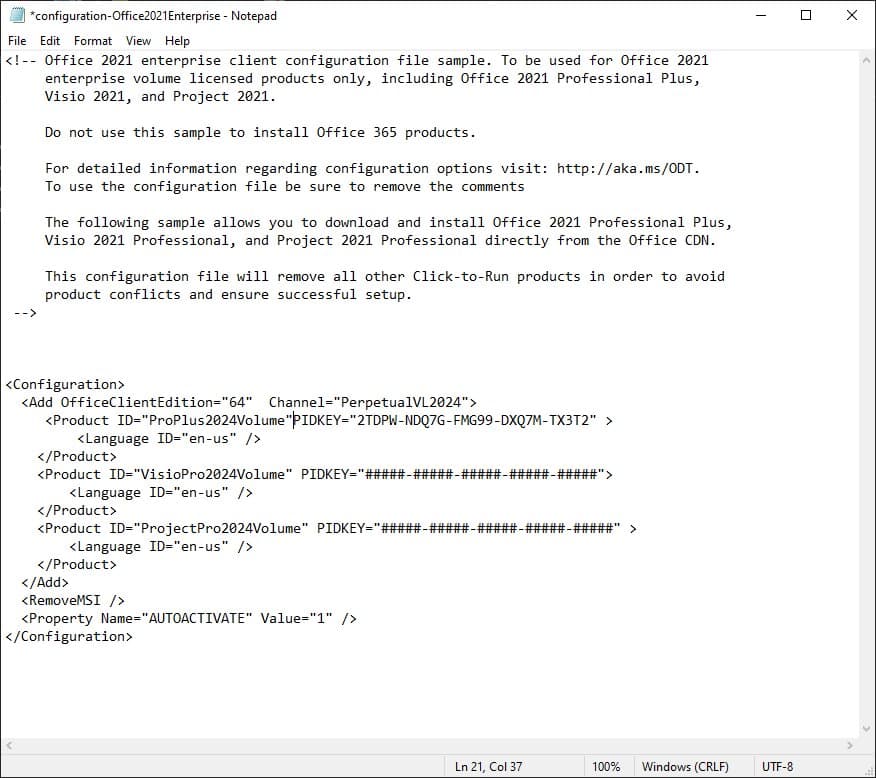
- Replace it with the following command. This will also contain the PIDKey which is the KMS activator for Office.
<Configuration>
  <Add OfficeClientEdition="64"  Channel="PerpetualVL2024">
     <Product ID="ProPlus2024Volume" PIDKEY="2TDPW-NDQ7G-FMG99-DXQ7M-TX3T2" >
         <Language ID="en-us" />
    </Product>
    <Product ID="VisioPro2024Volume" PIDKEY="#####-#####-#####-#####-#####">
        <Language ID="en-us" />
    </Product>
    <Product ID="ProjectPro2024Volume" PIDKEY="#####-#####-#####-#####-#####" >
        <Language ID="en-us" />
    </Product>
  </Add>
  <RemoveMSI />
  <Property Name="AUTOACTIVATE" Value="1" />
</Configuration>
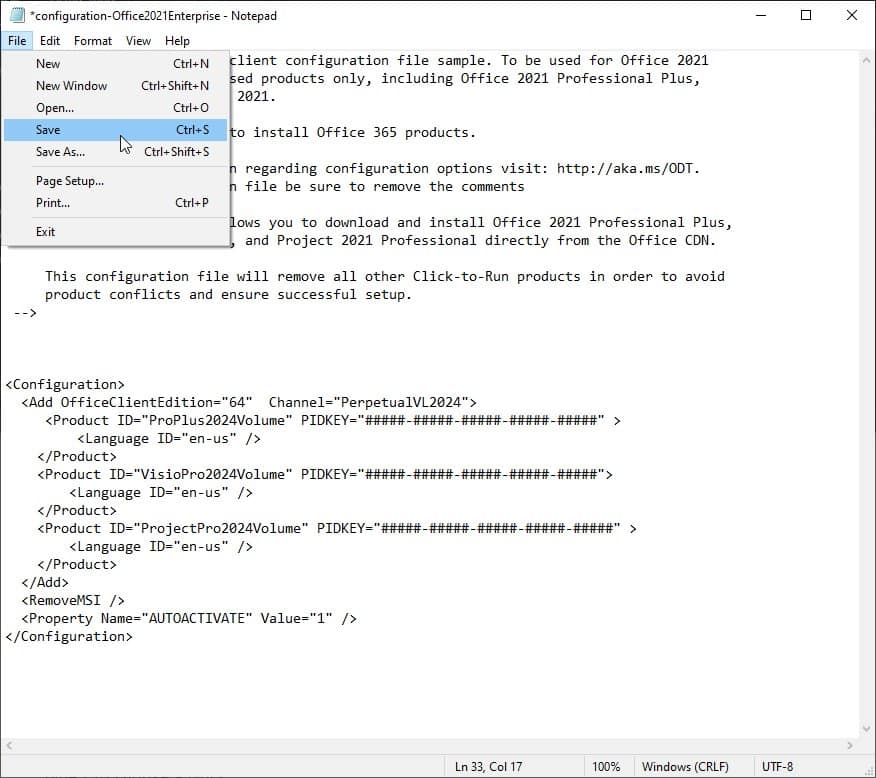
- Then go to File > Save to save the changes.
- Now go to the OFFICE folder’s address bar, type CMD, and then press enter to open the command prompt.

- Once the command prompt is open, type the following command and press enter .
setup /download configuration.xml
Now sit back for a couple of minutes and it will download Microsoft Office 2024. The download time will depend upon your internet speed. The overall size will be anywhere between 2.3 to 3 GB.

- Once the download is complete, type the following command and press enter to install Office 2024 on your PC.
setup /download configuration.xml

- The installer will appear on the screen, so you can wait till it gets completed with a confirmation.

- Now, open Word from the Start menu.

- A sign-in prompt will appear on the screen. Click on I have a product key .

- Enter the Office 2024 product key as given below and then click Activate Office .

- Now, you can go to the Account section and you will see that Microsoft Office 2024 is activated.

Microsoft Office 2024 Requirements
Also Read – Download Microsoft 365 for Free
How long will the Microsoft Office 2024 Preview last?
The Microsoft Office 2024 will have support for 5 years. So you can expect the preview to be free for 6 months to a year.
You can continue using it until it is available as an official release, available to buy to general users.
What is new in Microsoft Office 2024?
The new Office 204 introduces enhanced features for Outlook, including new meeting creation options and improved search capabilities.
Additionally, Excel has been upgraded with several new functionalities, such as Dynamic Charts and Arrays, offering fresh advancements from the previous Office release.
Download Microsoft Office 2024 Now
This is how you can download Microsoft Office 2024 for free and then activate it using the official product key.
It will be free to use until it is released later this year. Make sure to install all the available updates for newer features.
