Are you looking for a simple way to uninstall an app in macOS? Don’t worry anymore as in this article we have listed the simple way to uninstall in mac.
macOS is a feature-rich computer OS and it outperforms Windows in multiple aspects. A majority of Windows 10 apps and software come with an uninstaller. That said, the process of uninstalling apps in macOS is as simple as dragging the app to the trash. That said, some stubborn Mac software can be fairly difficult to delete.
So here’s how you can uninstall an app in macOS.
ALSO READ: How To Take A Screenshot On macOS
- Uninstall App Using Trash
- Delete Apps From LaunchPad
- How to Remove Left Behind Files CONCLUSION
Uninstall App Using Trash
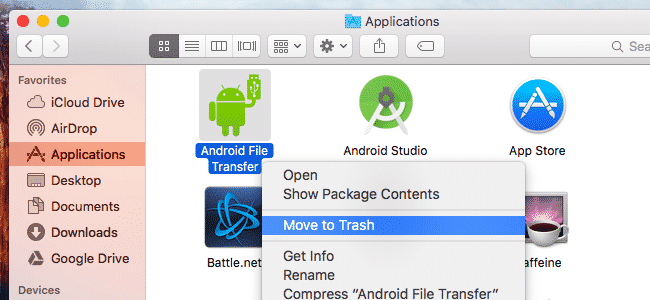
The first and possibly the most straightforward method to delete apps in macOS is by using trash. To do this follow these simple steps.
- Firstly exit the program you want to delete.
- Next up open the Applications folder, which you’ll find by opening a new window in the Finder.
- Simple drag the icon of the program you want to uninstall to the Trash.
- Lastly, empty the Trash.
Delete Apps From LaunchPad
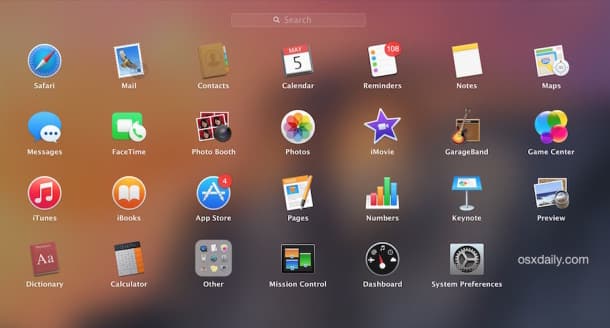
The next best way to delete apps from macOS is via the LaunchPad. The LaunchPad UI is similar to that of iOS and deleting apps is as simple as pressing a button.
- To open Launchpad, click on F4.
- Locate the app you wish to remove.
- Press the Option key.
- Now click on Delete to confirm you want to remove the program.
How to Remove Left Behind Files
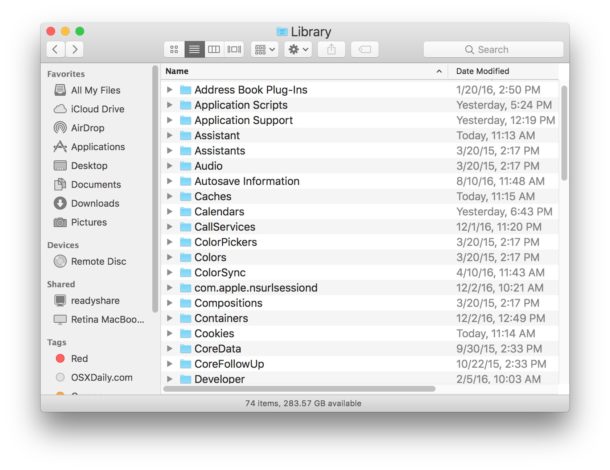
The above-mentioned methods will delete the applications from your computer. That said, these deleted apps will still leave behind Preference files. Generally, the preference files are not so big in size and they come handy when you decide to reinstall the applications.
In addition to preference files, some apps leave behind large background files or support files. Well, if you want to delete these left behind files you can locate them in Library folders and move them to trash. Generally, the name of these files is the same as that of the main application.
Also Read-
Best macOS Games Best Note-Taking Apps For Mac
