When it comes to making deep changes in the Mac, Terminal is something people consider.
It’s an application based on a command-line interface (CLI), that gives you the ability to make any changes to the operating system by running commands.
Usually, the graphical user interface (GUI) doesn’t provide you with such functionality.
Also, Mac comes with a built-in terminal. But, it’s not a panacea.
Many people research the best alternatives of built-in Terminal for the Mac.
So, in this article, we’ve provided you with the best Terminal for Mac.
- 11 Best Terminal For Mac 1. iTerm2 2. Commander One 3. ZOC 4. PowerTerm InterConnect 5. Kitty 6. Hyper 7. MacWise 8. Byobu 9. MacTerm 10. Alacritty 11. Terminator
- Reasons To Use An Alternative Terminal For Mac Conclusion
11 Best Terminal For Mac
Here are the Best alternative Terminal Emulators for macOS.
1. iTerm2

The first Terminal on this list is iTerm2.
It’s a free-fantastic Terminal for Mac, as it auto-completes the commands, supports multiple profiles, provides you with the ability to perform high-end customizations and more.
It is the best app for both beginners as well as advanced users. You can also split a single window into multiple tabs for more productivity.
| Pros | Cons |
|---|---|
| Instant playback | Requires macOS 10.14 or higher |
| Efficient in work | No RTL support |
| Lots of customization available |
2. Commander One
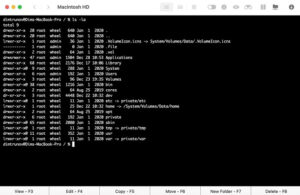
Commander One is a very powerful Mac emulator app.
It’s a super-fast file manager and works very well as a Mac Terminal emulator.
You can invite Terminal with the help of hotkeys, and execute commands without leaving the app’s interface. This is the best part.
Being extremely customizable, it also offers cloud storage support, FTP, and SFTP support.
| Pros | Cons |
|---|---|
| You can open unlimited tabs | Without comparison/directory synchronization |
| Supports FTP/SFTP/FTPS | No support for a multi-rename feature |
| Works with iOS/Android/MTP devices |
3. ZOC
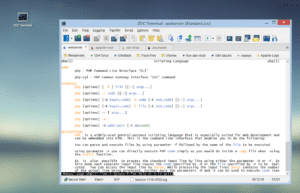
The next is ZOC.
ZOC is considered to be the best option for more advanced users. In this Terminal, you get amazing support for tabs, run multiple terminal sessions at the same time via SSH, telnet, QNX, and other terminals easily.
Also, the emulator is highly customizable and trusted by Mac users.
Some of the key features are mouse and keyboard support, pass-through, and line graphics.
| Pros | Cons |
|---|---|
| Favorable interface | Expensive |
| Automatic highlight feature | |
4. PowerTerm InterConnect
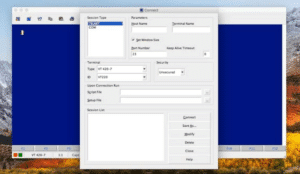
PowerTerm InterConnect is a great option if your Mac has minimum space.
The app offers a wide range of support for over 30 languages. Also, it supports many hosts.
The best part is the strong support of SSH and SSL security.
| Pros | Cons |
|---|---|
| Free Trial | Not up-to-date |
| Supports over 30 languages | |
| SSH & SSL security |
5. Kitty
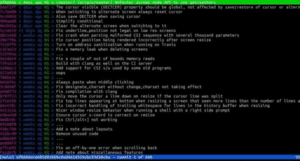
Kitty is the next best Terminal for Mac on this list.
Why?
Because it has a lot of features. Out of which, some are, multiple copy-and-paste buffers, focus tracking, bracketed paste, and much more.
It also uses the graphics card for faster and smoother performance.
| Pros | Cons |
|---|---|
| Offers support for hotkeys | Sometimes laggy |
| Has the ability to create individual commands | No configuration reload |
| Fast performance |
6. Hyper
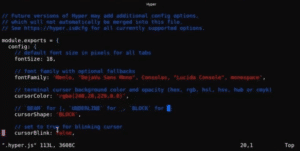
Hyper Terminal is something you should consider if you’re looking for full control over Mac.
This app has the ability to let you open multiple tabs.
The user interface is typical, and the emulator is built using HTML, CSS, and JavaScript. It also has the plugins to increase the productivity of the app.
| Pros | Cons |
|---|---|
| Support many shortcuts | Resource-intensive |
| You can split the terminal easily | Sometimes laggy |
| Ability to add your own CSS |
7. MacWise
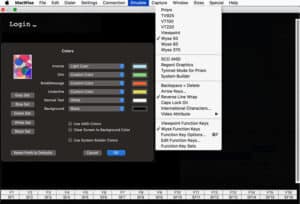
MacWise is a very promising Terminal for the Mac.
It looks very minimalistic and is designed to work with a large number of different protocols and connection modes.
It is a multifunctional Mac Terminal emulator that can emulate plenty of terminals including the Wyse 50, Wyse 60, Wyse 370, ADDS Viewpoint, Televideo TV 925, DEC VT100, VT220, and Prism terminals.
You can even add some special functions to it.
| Pros | Cons |
|---|---|
| Provides the ability to log into Mac Unix Shell | Expensive |
| Support a large number of different protocols & connection modes | Sometimes laggy |
| Minimalistic design |
8. Byobu
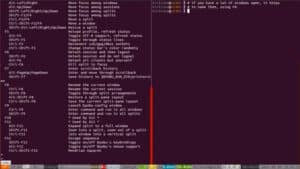
Byobu is a robust text-based Mac Terminal, excellent for running multiple programs in the background within a single console session.
You can split the screen with several tabs.
It is also known for providing the best user experience for terminal sessions when connecting to remote servers.
| Pros | Cons |
|---|---|
| Offers Multi-window mode | Complex User Interface |
| Easily split the screen with several tabs | Consume more memory to operate |
| Saves scripts after disconnecting or terminating ssh session |
9. MacTerm
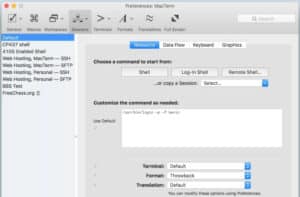
MacTerm is a very powerful Terminal for Mac.
It has the best user interface and offers tons of features to its users.
With this, you can access both local and remote applications. The app offers an amazing set of features including a flexible setting system, support for macros, dynamic search, floating command line window, etc.
So, if this is something that interests you. Must give this a shot.
| Pros | Cons |
|---|---|
| Supports macros | Sometimes it becomes responseless toward actions |
| Offers floating command line window | |
| Get access to both local and remote applications. |
10. Alacritty
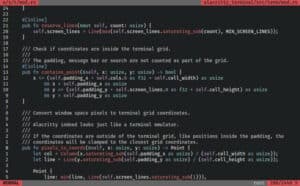
Alacritty is free to use Mac Terminal which is quite popular on the internet.
It’s an open-source Mac terminal emulator, which has a simple user interface and powerful performance.
Recommended by many, this Mac Terminal has more than a million downloads across the globe.
| Pros | Cons |
|---|---|
| Open source | Heats the Mac |
| Simple user interface | |
| Powerful performance |
11. Terminator
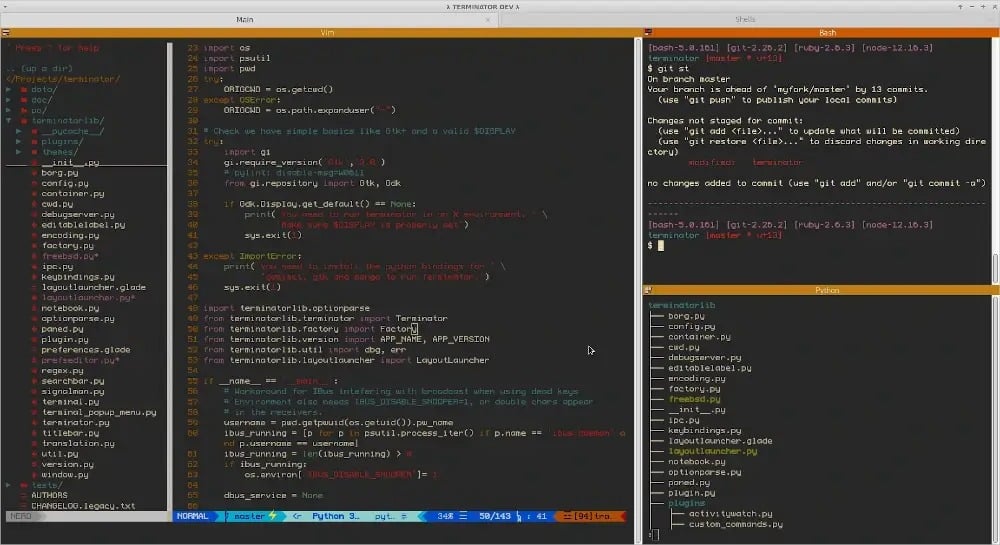
Last on the list we have an open-source terminal app that goes by the name Terminator. The primary focus of this alternative terminal for Mac is to arrange terminals in grids.
Terminator supports simultaneous typing in arbitrary groups of terminals and several keyboard shortcuts.
Lastly, Terminator is completely free to use.
| Pros | Cons |
|---|---|
| Easy to navigate UI | Slight Learning Curve |
| Multiple GNOME terminals in one Window | |
| Fast & Responsive |
Reasons To Use An Alternative Terminal For Mac
Although, the default Mac Terminal is enough to perform changes. But, there are some top good reasons to use an alternative Terminal for Mac. Luckily, the options are many.
- Features – The alternative Terminals offer an extensive set of features to its users.
- More customization – Some Terminals offer more customization options.
- User interface – The User interface is nice and effective.
Conclusion
So this was all regarding the best Terminals for Mac. You can opt for one according to your requirements.
