What started as a side project by a college undergrad, turned into a full-fledged revolution in the operating system segment. The inspiration behind Linux was the Minx, a Unix-based operating system.
Unix-like(or *nix) was gaining momentum around the same time when Microsoft was beginning to make waves in the desktop computer segment with its Windows NT family of operating systems.
Today, Linux is used worldwide for embedded computers to power virtually all the supercomputers that are currently in function.
If you want to use Linux on an old PC or laptop that has an outdated hardware configuration you may want to look for the best lightweight Linux distributions.
Moreover, lightweight Linux distros are also good for beginners to play with and learn.
- Best Lightweight Linux Distros 1. Tiny Core 2. Lubuntu 3. Puppy Linux 4. antiX 5. Peppermint OS 6. Bodhi Linux 7. Sparky Linux 8. Debian 9. React OS 10. LXLE
Best Lightweight Linux Distros
Lightweight may be relative for users but it generally covers computers with modest configuration, and consequently less resource usage.
We have shortlisted the best Lightweight Linux distros that you can use in 2023
| Tiny Core Lubuntu Puppy Linux antix Peppermint OS Bodhi Linux Sparky Linux Debian React OS LXLE |
|---|
1.Tiny Core
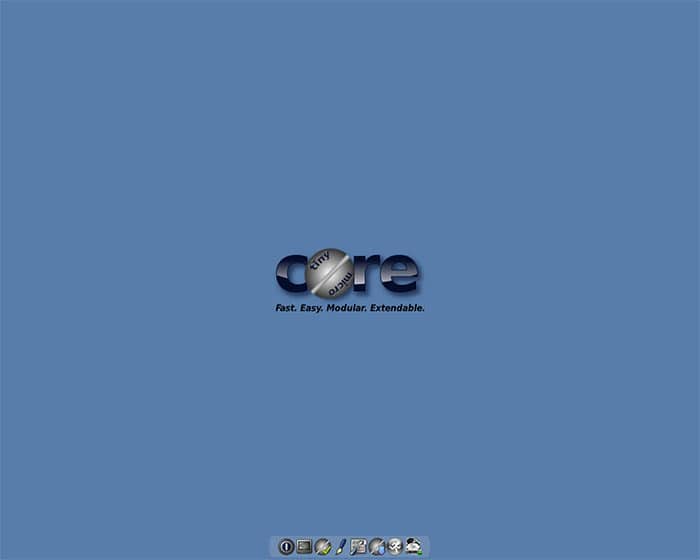
The tiniest and the lightest Linux operating system I have seen in the last decade. It offers major desktop environments such as IceJW, JWM, Fluxbox amongst a long list of supported DEs.
Just like other lightweight OS , Tiny Core can be installed on virtually all modern flash drives or SD cards. Y
ou can install it directly to RAM as well. While the booting is fast being installed on HDD, it is blazing fast when loaded on RAM.
Users who are looking to use it for Internet surfing will find it Internet-ready, thanks to its swift network card detection.
| Minimum requirements for Tiny Core RAM: 46 MB RAM CPU: Any x86 Intel process, AMD Legacy processors Disk Space: 49 MB |
|---|
2.Lubuntu
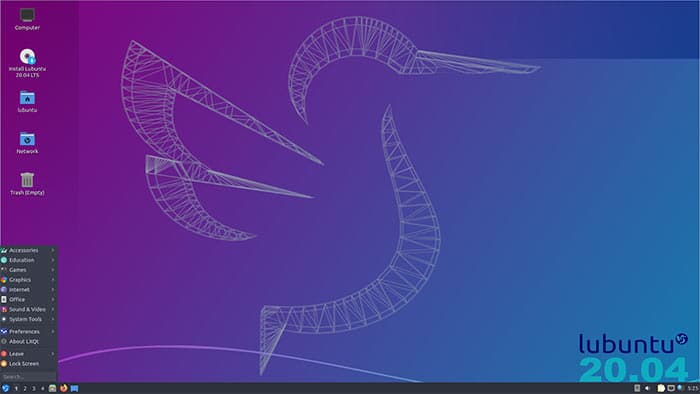
Lubuntu is a lighter variant of the famous Ubuntu operating system. The Ubuntu variant is based on the LXDE and LXQT desktop environment.
It is currently in the transition towards a more LXQT DE, away from the good old LXDE. The aesthetics department is peppered with a combination of Papirus icons and Arc theme in the front end.
Secondly, it ships with essential applications such as a full-fledged office suite, PDF reader, multimedia editor, and player.
Talking about the back end, Lubuntu has a broad support base from all the Canonical resources, such as codecs, drivers, etc.
| Minimum requirements for Lubuntu RAM: 128 MB RAM CPU: Pentium II or higher Disk Space: 2 GB |
|---|
3.Puppy Linux
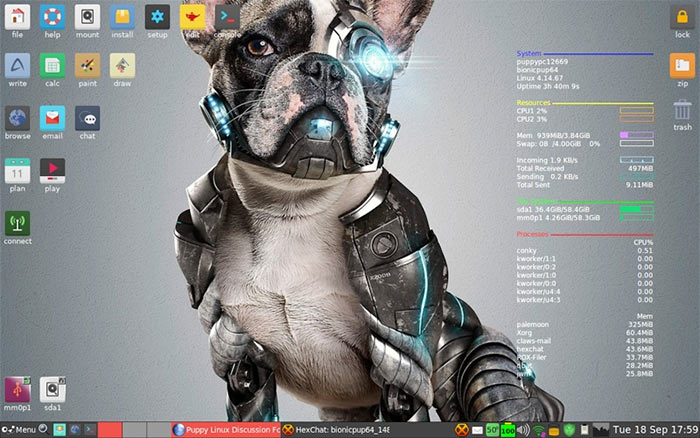
Puppy Linux was synonymous with distros for low-end computers.
Unlike other distros, Puppy Linux boots directly into a ramdisk, therefore not requiring physically installed hard disk
With the passage of time, support for the lightweight distro has toned down. However, it continues to receive support, as Raspberry Pi OS is based on Debian/Puppy Linux.
As the OS is directly loaded into the RAM, it is considerably faster than the others. The functions and opening of programs is prominently swifter.
The default web browser, Palemooon , has a wide room for customization. Some users have compared it to the modern Firefox in terms of performance and features.
| Minimum requirements for Puppy Linux RAM: 128 MB RAM CPU: Pentium 900 mhz or higher Disk Space: 600 MB |
|---|
4.antiX
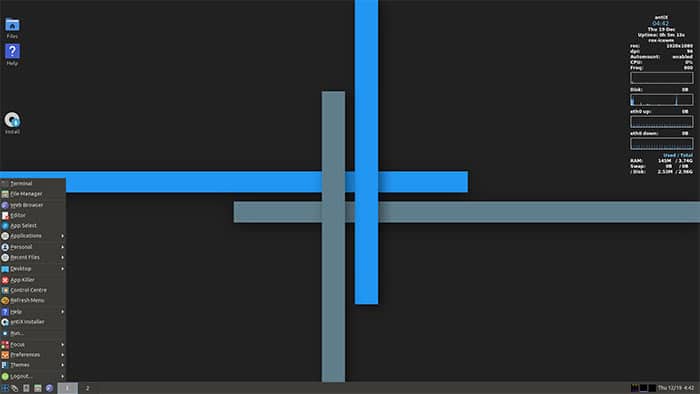
antiX is a Debian-based LiveCD Linux distro that is fast, lightweight, and easy to use. MX Linux is based on antiX itself.
Alot of users make USB-bootable media for running it directly from the flash drive. The default desktop environments are IceWM, Fluxbox, and JWM. You can install your favorite DE with help from the official forum, which is a bit of work, to be fair.
Moreover, the F-keys and the boot options are something out of the ordinary. Many users will find it useful.
Talking about resource usage, it leaves minimal resource imprint on your hardware. It uses half the RAM used by the popular MX Linux.
| Minimum requirements for antX RAM: 256 MB RAM CPU: Pentium III or higher Disk Space: 2.7 GB |
|---|
5.Peppermint OS
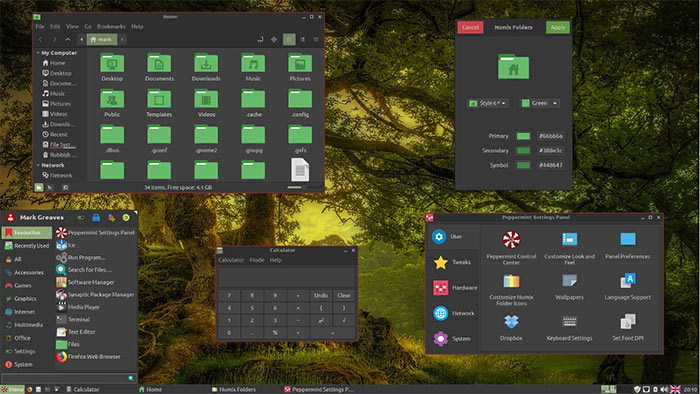
Backed by its hybrid Xfce and /LXDE environment, Peppermint OS aims to provide a lightning-fast Linux distro easy on the computer resources. You can switch between the different desktop environments by logging from a user account.
The Ubuntu-based Linux offers Ice application, which manages the web-based installed applications effortlessly.
Moreover, the Nemo file manager, which makes it reasonably easy to manage your files.
That is not all, the hybrid Linux distro ships with a custom-control panel named “ Peppermint Settings Panel ” is one place for all the settings and utilities.
Apart from that, Peppermint OS has the mix of softwares from Ubuntu and Mint Linux brought together under one roof.
| Minimum requirements for Peppermint OS RAM: 1 GB RAM CPU: x86 architecture based processor Disk Space: 20 GB |
|---|
6.Bodhi Linux
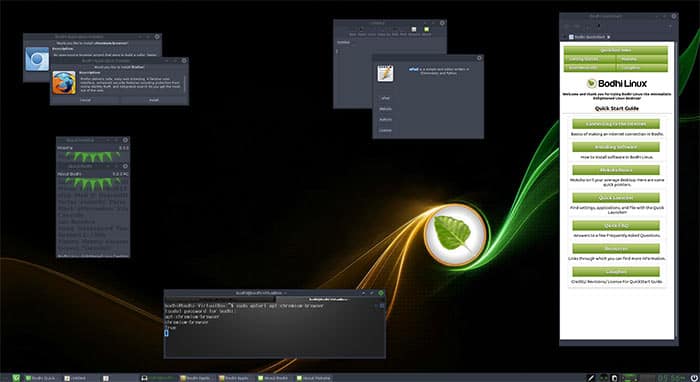
The Moksha DE based Linux distro ticks all the right boxes for a lightweight distro, built on the Ubuntu LTS release.
Apart from x32 and x64 OS, Bodhi also offers dedicated images for Chromebooks and several legacy machines.
They have an app center from where you can download different software packages. By default, Bodhi has only five softwares installed, namely Leafpad, Midori, PCManFM, Terminology, and ePhoto.
| Minimum requirements for Bodhi Linux RAM: 256 MB RAM CPU: 500mhz Single core processor Disk Space: 10 GB |
|---|
7.Sparky Linux
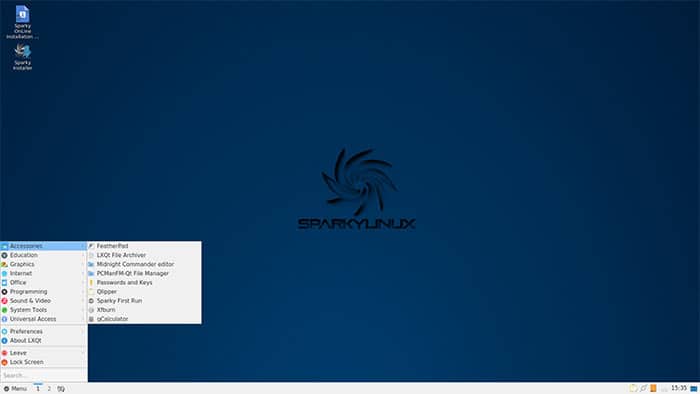
With Enlightenment and LXDE desktops’ support, Sparky Linux aims to be the distro for both old and new computers.
The Debian-based Linux has multiple desktop environment options, as given the list below:
- Budgie
- Enlightenment
- JWM
- KDE Plasma
- LXDE, LXQt
- MATE
- Openbox
- Xfce
Secondly, there is the rolling release system, apart from the regular stable builds.
There is virtually no bloatware that comes preloaded on the operating system. Computer resource usage is, RAM usage stays to the south of 200 MB at most times.
| Minimum requirements for Bodhi Linux RAM: 256 MB RAM CPU: Pentium IV or higher; AMD64 or Higher Disk Space: 5 GB |
|---|
8.Debian
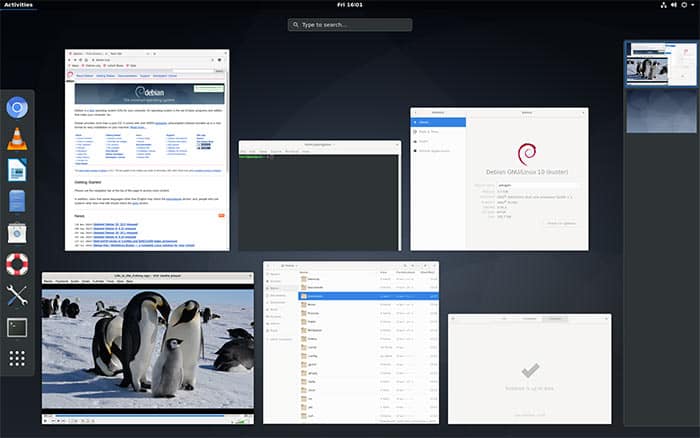
Debian is a KDE based, independent project with contributions who believed in building a free, feature-rice operating system that anyone could use.
Based on Linux kernel, it has a gigantic library of pre-bundled software packages for using on your computer. The Cinnamon KDE has been a user favourite, apart from the default KDE.
Moreover, gaming is a possibility on Debian, relying on the incredible 3100 native Linux games and tools.
Owing to Debian’s continuous effort in integration with KDE, the amount of RAM used by the lightweight Linux distro is exceptionally low.
| Minimum requirements for MX Linux RAM: 256 MB RAM CPU: Pentium 4 or higher; AMD processors with x86 support Disk Space: 10 GB |
|---|
9.React OS
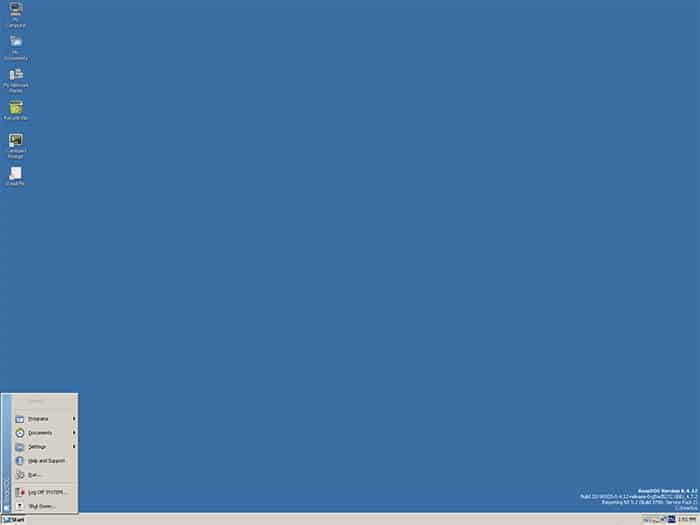
React OS is based on the principles of Windows NT, keeping it simple and easy. The exterior exudes a Windows 95 vibes with the theme designed built around it.
Without a base of Linux or Unix itself, React OS aims to provide a stable environment for Windows applications to run outside of Windows.
The operating system is in Alpha mode but has shown promise to be included in the list. You can count on the forums to gather support for troubleshooting problems.
They offer softwares like LibreOffice, Firefox which are shipped with the operating system.
| Minimum requirements for React OS RAM: 64 MB RAM CPU: x86 or x64 architecture, with Pentium or later. Disk Space: 100 MB |
|---|
10.LXLE
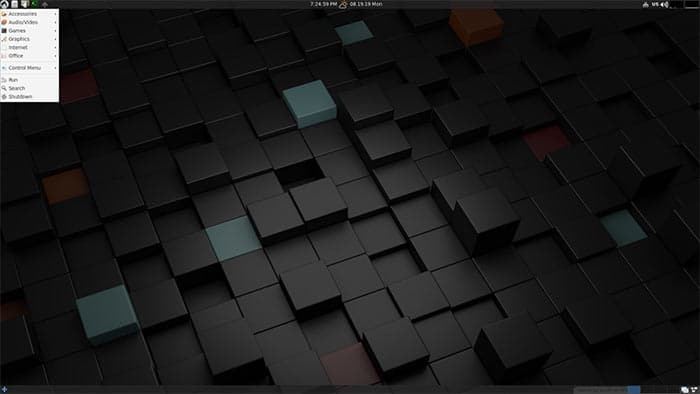
Another lightweight linux distro based on the Ubuntu LTS. It is highly customizable and users can tweak it to get the best out of it.
LXLE can run live from a flash drive or a CD/DVD. Furthermore, it comes with options of several apps such as LibreOffice, GIMP, and more.
You can run several of the non-mainstream apps, softwares on the lightweight Linux OS.
| Minimum requirements for LXLE RAM: 512 MB RAM CPU: Pentium III or higher Disk Space: 8 GB |
|---|
Over to You
Some lightweight Linux distros did not make it to the list because they have been out of the active development cycle. I urge you to check those Linux distros as well.
